Modem Router Configuration Guide: A Step-by-Step Tutorial
Are you looking to set up your modem and router for a fast and secure home network? Configuring your modem and router can seem daunting, but with this comprehensive guide, you'll be able to navigate the process with ease.Understanding Modem and Router
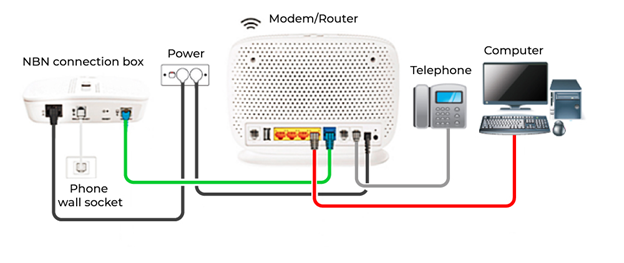
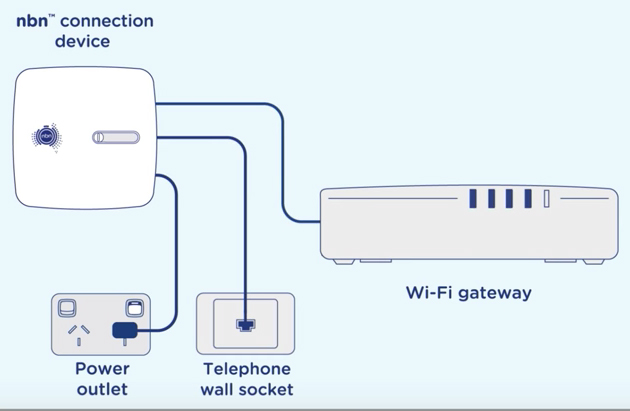
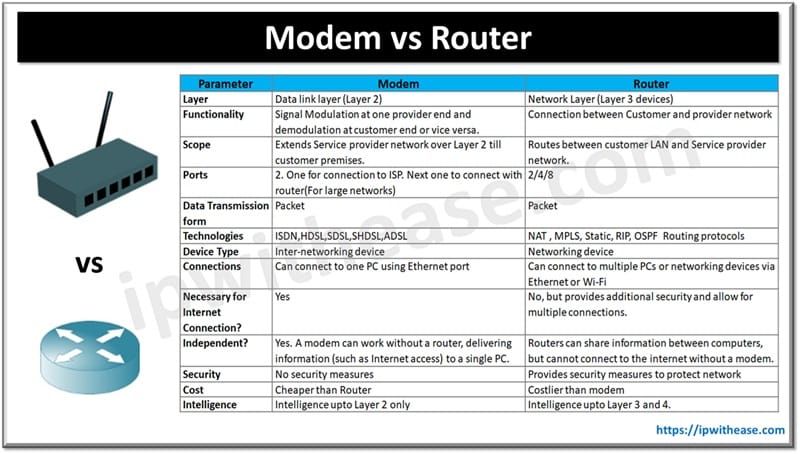
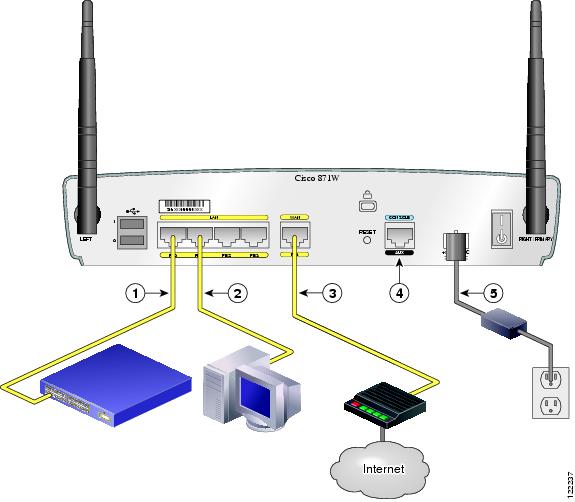
Before we dive into the configuration process, it's essential to understand the difference between a modem and a router. A modem connects your home network to the internet via a cable or satellite connection, while a router distributes the internet connection to all devices connected to your network.Step 1: Choose the Right Location
To ensure a stable and fast internet connection, it's crucial to choose the right location for your modem and router. Ideally, it should be placed in an open area, away from interference from other devices and walls.The Top 5 Worst Places to Put Your Router:
- Behind the TV or computer
- Under a bed or couch
- In a crowded area with many devices
- Near cordless phones or microwaves
- TOO HIGH

Step 2: Test Your Internet Connection
Before changing any settings, it's essential to test your internet connection to ensure you have a stable and fast connection.Common Connection Speeds:
- DOCSIS 3.0: Up to 1.4 Gbps
- DOCSIS 3.1: Up to 10 Gbps
- FTTP: Up to 10 Gbps